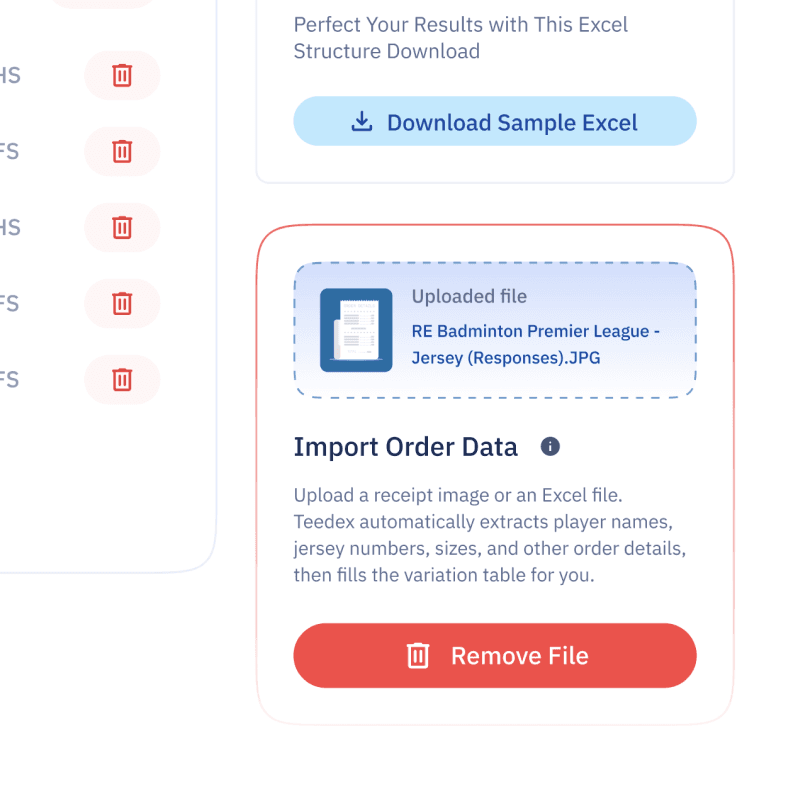
Teedex allows you to upload a handwritten receipt or order sheet containing player details and use the information to generate jersey variations. Instead of manually entering every player’s information, you can upload a clear image of the order sheet, and Teedex extracts the available details for you.
This feature is especially useful for jersey manufacturers and sportswear businesses that receive bulk orders with player names, numbers, sizes, and sleeve requirements written on paper.
1. Prepare Your Handwritten Receipt
Before uploading your receipt, make sure the required player details are clearly written on the paper.
Your order sheet should include the following information:
Player Name: The name to be printed on the jersey.
Player Number: The player’s jersey number.
Sleeve: Half Sleeve (HS) or Full Sleeve (FS).
Size: The required jersey size.
For the best results, keep the handwriting readable and ensure the details are clearly visible in the image.
2. Upload Your Receipt to Teedex
Open your project and navigate to the Variation tab.
Locate the receipt or order data import option and upload an image of your handwritten receipt. Teedex reads the available player information and extracts the details to populate your variation table.
This reduces the need to type each player’s information manually.
3. Review the Extracted Player Details
After processing the image, check the imported information in the variation table.
Verify that:
Player names are spelled correctly.
Player numbers match the original receipt.
Sleeve types are correctly identified as HS or FS.
Jersey sizes are accurate.
Handwriting can sometimes be difficult to interpret, so review the extracted information carefully and correct any errors before proceeding.
4. Generate Your Jersey Variations
Once you’ve verified the player details, continue to the Export tab to generate the required jersey variations.
Teedex uses your existing jersey design and the extracted player information to create personalized variations. You can then review the generated files and download them using your preferred export settings.
Tips for Best Results
Upload a clear, well-lit image of the receipt.
Keep the entire order sheet visible in the image.
Avoid blurry photos, shadows, and cropped text.
Use consistent labels for player names, numbers, sleeve types, and sizes.
Always verify the extracted details before generating your final jerseys.